
Apple 2026 Launch: What It Means for Global Teams
The Apple 2026 Launch announcements and what they mean for IT and People global teams.


Most companies know e-waste is an issue. Fewer realize how easily well-intentioned disposal efforts go wrong. This article outlines the five most common e-waste mistakes organizations make from treating recycling as a compliance checkbox to leaving data on retired devices and provides actionable fixes for each.
Overview
The average enterprise retires thousands of devices every year. Laptops reach their refresh cycle. Servers get replaced. Phones are swapped for new models. And somewhere in that process, things go wrong.
E-waste management sounds straightforward until it isn't. The mistakes companies make aren't usually dramatic failures they are quiet oversights that accumulate into compliance gaps, data exposure risks, and missed cost recovery opportunities.
These are the five most common e-waste errors we see, why they happen, and what you can do today to fix them.
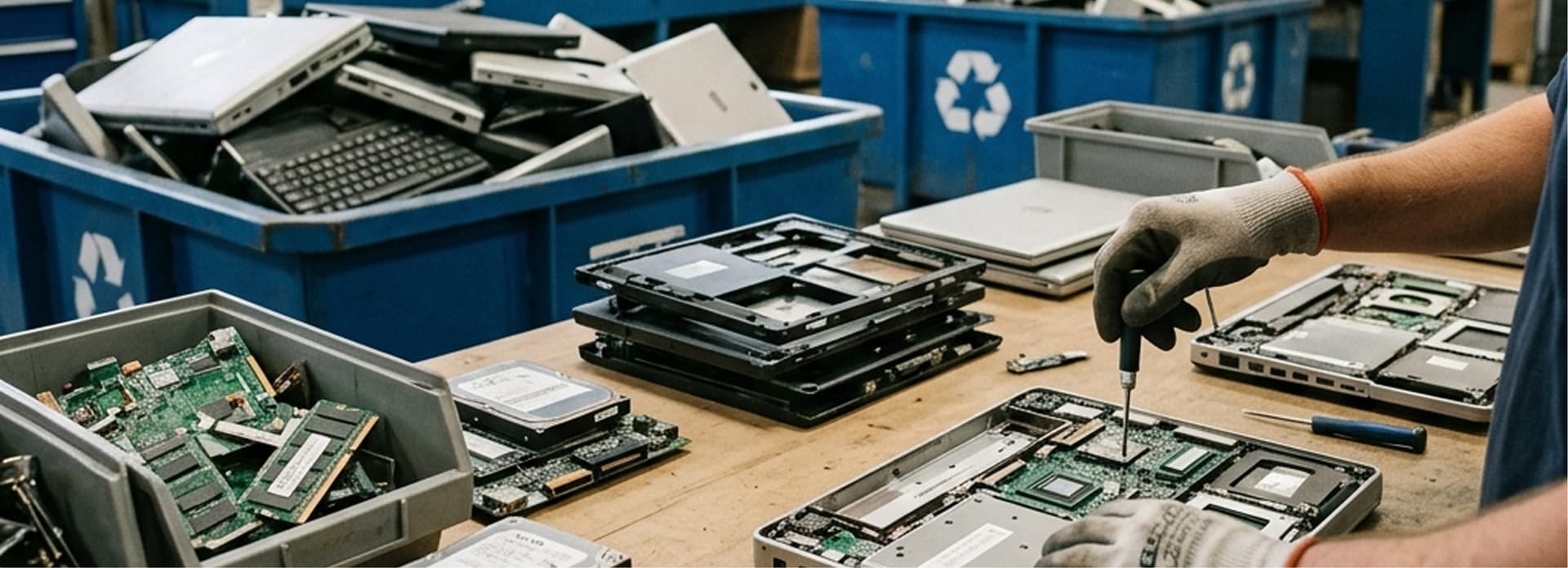
Mistake 1: Treating Recycling and Data Destruction as the Same Thing
What Goes Wrong
This is the most common and most dangerous e-waste mistake companies make. A device is sent to a recycler, and the IT team assumes the data goes with it. In reality, many recyclers do not perform certified data destruction unless it is explicitly included in the contract.
Devices refurbished for resale on the secondary market have been recovered with data intact. Healthcare records, financial information, employee credentials all discoverable on hardware that was "recycled."
Common mistake: Sending a laptop to recycling is not the same as destroying its data. These are two separate processes that must both be documented.
The Fix
Always require a separate data destruction step before any hardware leaves your control. Request a documented process that specifies the method used (overwrite, degaussing, or shredding) and ensure it meets your compliance standard NIST SP 800-88 for most U.S. organizations, or equivalent international standards.
For full details on what this documentation should include, see Tecspal's guide: Certificate of Destruction: Secure and Responsible IT Disposal

Mistake 2: Waiting Too Long to Retire Devices
What Goes Wrong
IT hardware depreciates fast faster than most finance teams account for. The longer a device sits unused in a closet, the less it is worth on the secondary market. A MacBook Pro that was worth $800 at year two may fetch less than $200 at year four, depending on model and condition.
Beyond lost value, aging devices create shadow IT risks. Employees may reactivate old machines, use them without IT oversight, and inadvertently expose company data or create unmanaged endpoints.
The Fix
Build a hardware refresh schedule into your IT asset management process. Track device age, remaining warranty coverage, and projected resale value for every asset in your inventory. Set automatic alerts when devices approach optimal retirement age so you can act before value deteriorates.
A proactive refresh cycle also allows you to budget more accurately for hardware, predict buyback proceeds as a cost offset, and avoid scrambling when a device fails unexpectedly.

Mistake 3: No Chain of Custody Documentation
What Goes Wrong
When a device is retired and handed off to a vendor or IT team member for disposal, what happens next is often undocumented. You know the device left the building. You do not know where it went, who handled it, or whether the data was ever destroyed.
This is a chain of custody failure and it is a serious liability. GDPR, HIPAA, PCI-DSS, and most enterprise data governance frameworks require organizations to demonstrate, with documentation, that retired devices were handled appropriately from collection through final disposition.
Common mistake: "We sent it to our recycler" is not a defensible answer during a compliance audit. You need serialized records, not verbal assurances.
The Fix
Implement a chain of custody process for all device disposals. This means tracking every device by serial number from the moment it is flagged for retirement through its final destruction or resale. Your ITAD provider should supply itemized Certificates of Destruction that list each device individually not batch summaries.
Retain these records for a minimum of three to five years, or as required by your applicable compliance framework.

Mistake 4: Using Uncertified Recyclers
What Goes Wrong
Not all recyclers are created equal. Some operate without environmental certifications, process e-waste in ways that release toxic materials (lead, cadmium, mercury) into local environments, or ship devices to developing countries where informal processing creates health and safety hazards.
Using an uncertified recycler doesn't just put communities at risk it can put your organization at legal risk too, particularly in regions with strict producer responsibility laws for electronics.
The Fix
Look for R2v3 (Responsible Recycling) certification the most widely adopted U.S. standard for responsible electronics recyclers
Check for e-Stewards certification a stricter standard with additional worker safety and export restrictions
Ask for documentation proving downstream partners are also certified the chain of responsibility extends beyond your primary vendor
Verify your vendor's certificate is current certifications expire and must be renewed
Tecspal's e-waste recycling service includes certified recycling across 160+ countries, with optional certification of destruction for each processed asset.

Mistake 5: No Formal E-Waste Policy
What Goes Wrong
Many organizations handle e-waste on an ad hoc basis no defined process, no assigned responsibility, no standard vendor. When a device needs to go, whoever handles it that week figures it out. This results in inconsistent data destruction, missed compliance requirements, lost cost recovery opportunities, and no audit trail.
E-waste disposal is one of the highest-risk IT governance gaps because it is invisible. No one is tracking what went wrong because no one was tracking what was supposed to happen.
Common mistake: A single unprocessed laptop with employee credentials or customer data can trigger a reportable breach under GDPR or HIPAA regardless of whether that data was intentionally exposed.
The Fix
Build a formal IT asset end-of-life policy that covers all of the following:
Who is responsible for identifying devices ready for retirement
The minimum data destruction standard your organization requires
Which certified vendors are approved for recycling and destruction
Documentation requirements what records must be kept and for how long
How recovered value from buyback programs is handled in your budget
Review and update the policy annually. As your hardware footprint grows especially for globally distributed teams ad hoc approaches become exponentially more risky.

Bonus: The Compliance Frameworks You Cannot Ignore
If you are unsure which regulations apply to your organization, these are the most common frameworks that govern e-waste and data disposal for companies:
Article 17 (Right to Erasure) and Article 32 (Security of Processing) require organizations to permanently delete personal data when it is no longer needed including from retired hardware. Non-compliance carries fines of up to €20 million or 4% of global annual turnover.
The HIPAA Security Rule requires covered entities to implement policies for the final disposition of electronic Protected Health Information (ePHI). Documented data destruction satisfies this requirement.
Requirement 9.8 of PCI-DSS mandates that cardholder data on decommissioned hardware be rendered unrecoverable before disposal.
SOC 2 audits assess whether organizations have implemented controls for data disposal. A documented, certified destruction process is required to demonstrate the CC6.5 common criterion.
Final Thoughts
E-waste mistakes are rarely intentional they happen because organizations lack the right policy, the right vendor, or the right information. The good news is that each of these mistakes is fixable with a clear process and the right partner.
A well-run IT asset end-of-life program protects your data, satisfies your compliance requirements, reduces your environmental impact, and can even generate revenue through responsible hardware resale.
Tecspal handles the entire IT hardware lifecycle from onboarding to offboarding to buyback and recycling across 160+ countries. Get in touch to see how we can streamline your e-waste process.
Frequently Asked Questions
Most IT best practices recommend a 3–4 year refresh cycle for laptops and desktops. Before the 3-year mark, devices typically retain strong resale value and are eligible for buyback programs. After 4 years, maintenance costs often exceed hardware value.
In most jurisdictions, disposing of electronics in municipal trash is illegal due to toxic materials. Many U.S. states have e-waste recycling laws, and the EU's WEEE directive mandates proper handling of all electronic waste.
If a device is damaged, encrypted in a way that prevents wiping, or otherwise cannot be sanitized through software, physical destruction (shredding) is the only compliant option. Any certified ITAD provider should offer this service.
Yes. Devices with remaining resale value can be sold through a hardware buyback program. The proceeds can offset the cost of new procurement. Timing matters significantly the earlier in the device lifecycle you act, the higher the return.
Both are voluntary recycler certifications, but e-Stewards is considered stricter it prohibits the export of hazardous e-waste to developing countries and has additional worker health requirements. R2v3 is more widely adopted and accepted by most enterprise compliance frameworks.
Explore our
topics
The Apple 2026 Launch announcements and what they mean for IT and People global teams.

Looking for the best corporate laptops? Compare top picks for remote teams by battery life, power and price, then see how Tecspal equips anywhere.
1 min read

Australian companies hiring in India: cost, talent and and why IT asset management can't be an afterthought.
1 min read



contact@tecspal.com
+1 305-450-4911
111 Pine St #1650, San Francisco, CA
Subscribe to our weekly newsletter to receive the latest news and updates.