MacBook Pro M6 for Remote Teams: Roles, Rollout & IT Tips
Apple's new MacBook Pro M6 is here. See which remote roles benefit most and how to plan device rollouts across countries before you buy.
1 min read


Remote and hybrid work isn't a temporary arrangement anymore. It's how most companies operate, which means the laptop you hand a new hire is doing more work than ever. It has to survive video calls, travel, home offices and the occasional coffee shop, all while giving IT a device that's easy to manage from a distance.
Picking corporate laptops for a distributed team is different from picking one for yourself. You're not just weighing specs. You're weighing battery life across time zones, repairability, security features and how fast you can get a replacement to someone in another country when a device fails. Below are five standout picks for 2026, organized by what they solve best, along with a look at what it actually takes to get devices like these into the hands of a global workforce.
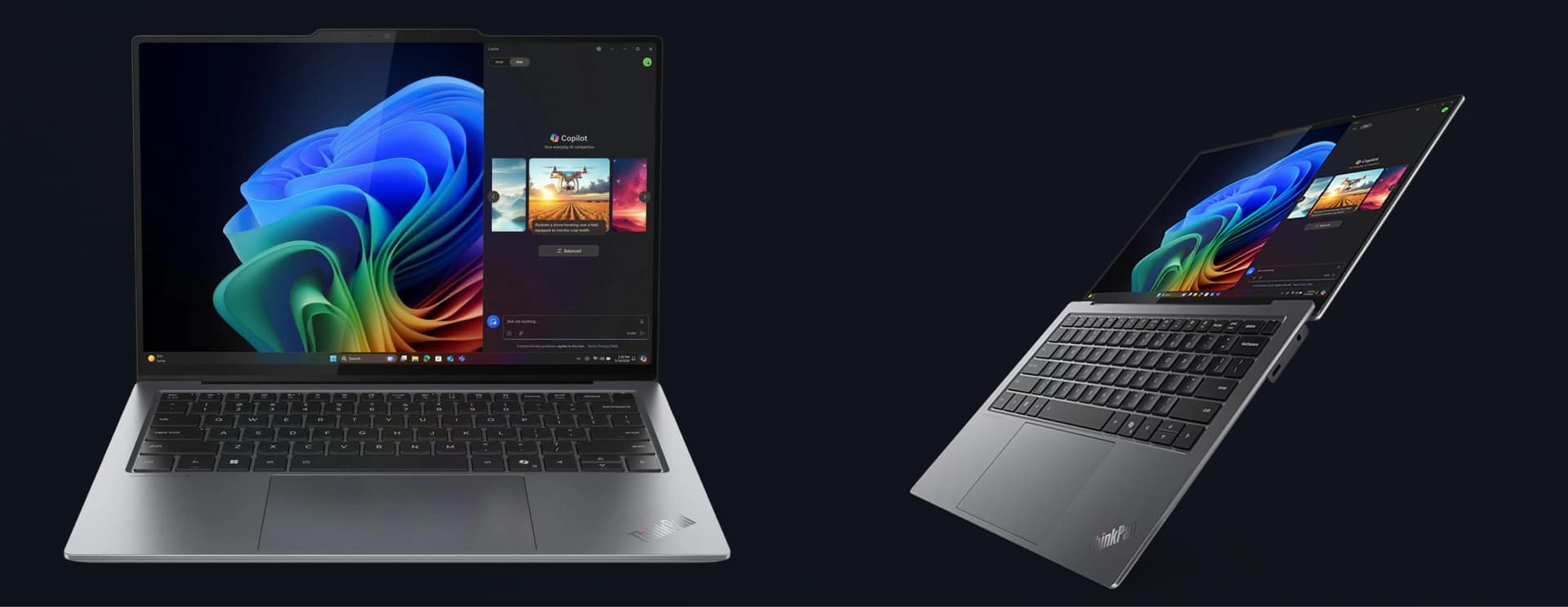
Best Ultraportable: Lenovo ThinkPad X9 14 Aura Edition
For employees who are always moving between meetings, home and the airport, the ThinkPad X9 14 Aura Edition is built for portability without giving up the details that matter. All-day battery life means no one is hunting for an outlet mid-shift, and the 2.8K OLED display makes long stretches of reading and reviewing documents easier on the eyes. The 4K webcam is a genuinely useful upgrade too, given how much of corporate life now happens over video. For distributed teams, a laptop this light and this capable removes one more excuse for a missed call or a blurry presentation.
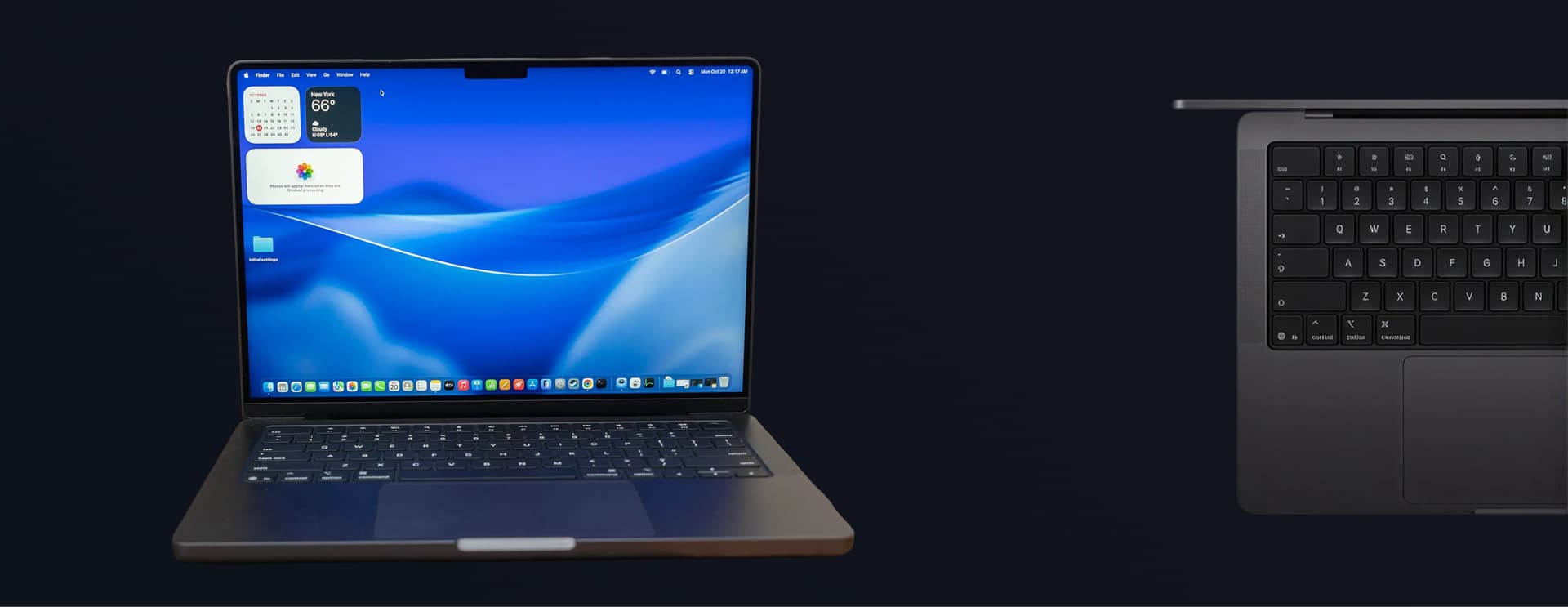
Best Workstation: Apple MacBook Pro 14" (M5)
When the job calls for real horsepower, whether that's video editing, design work or running resource-heavy software, the MacBook Pro 14" with the M5 chip is the workstation option. It delivers desktop-class performance in a laptop body, paired with a Liquid Retina XDR display that makes color-accurate and detail-heavy work possible from anywhere. For creative teams, engineers or anyone whose corporate laptop needs to double as their primary workstation, this is the pick that removes the "I need to be in the office to do this" excuse entirely.
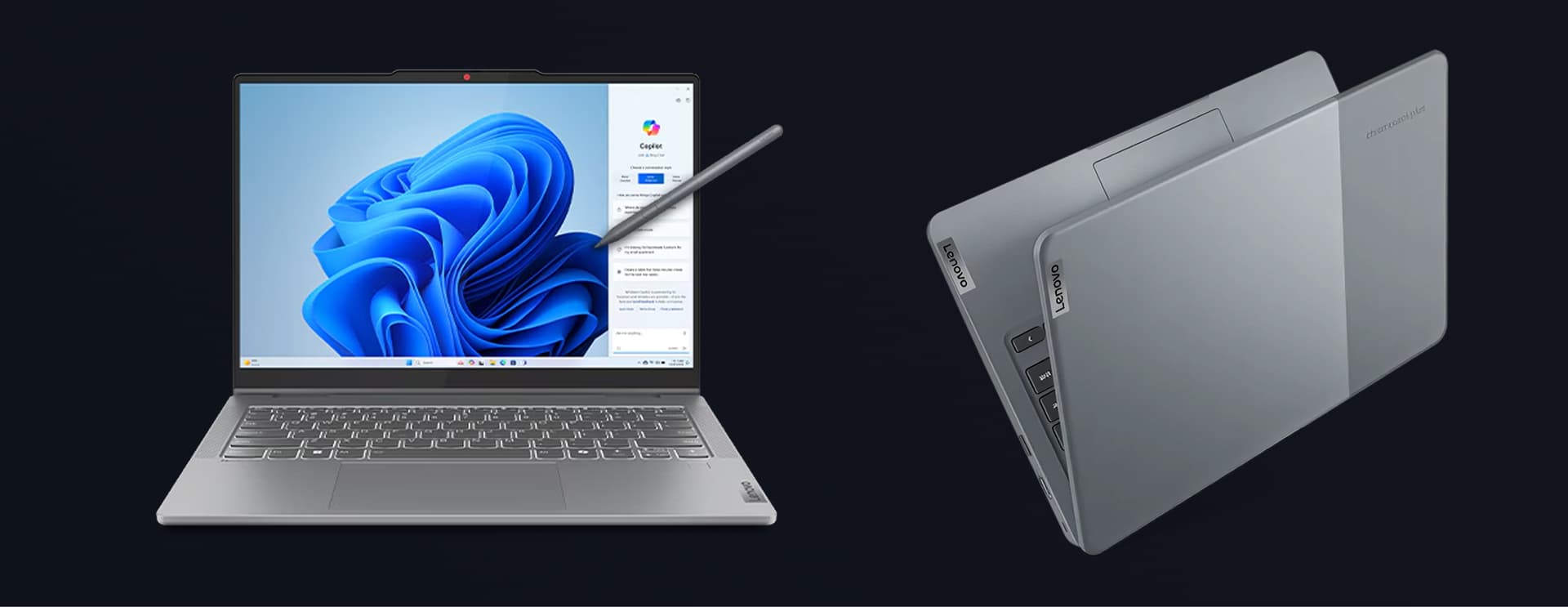
Best Budget Pick: Lenovo IdeaPad Slim 3i Chromebook 14
Not every role needs a powerhouse. For employees who mostly live in a browser, a video call and a handful of cloud apps, the IdeaPad Slim 3i Chromebook 14 covers the basics without the cost. It boots fast, comes with built-in security and offers all-day battery life, which matters for large-scale rollouts where cost per device adds up quickly. For companies equipping call center staff, seasonal workers or entry-level roles, this is the laptop that keeps a fleet affordable without cutting corners on reliability.
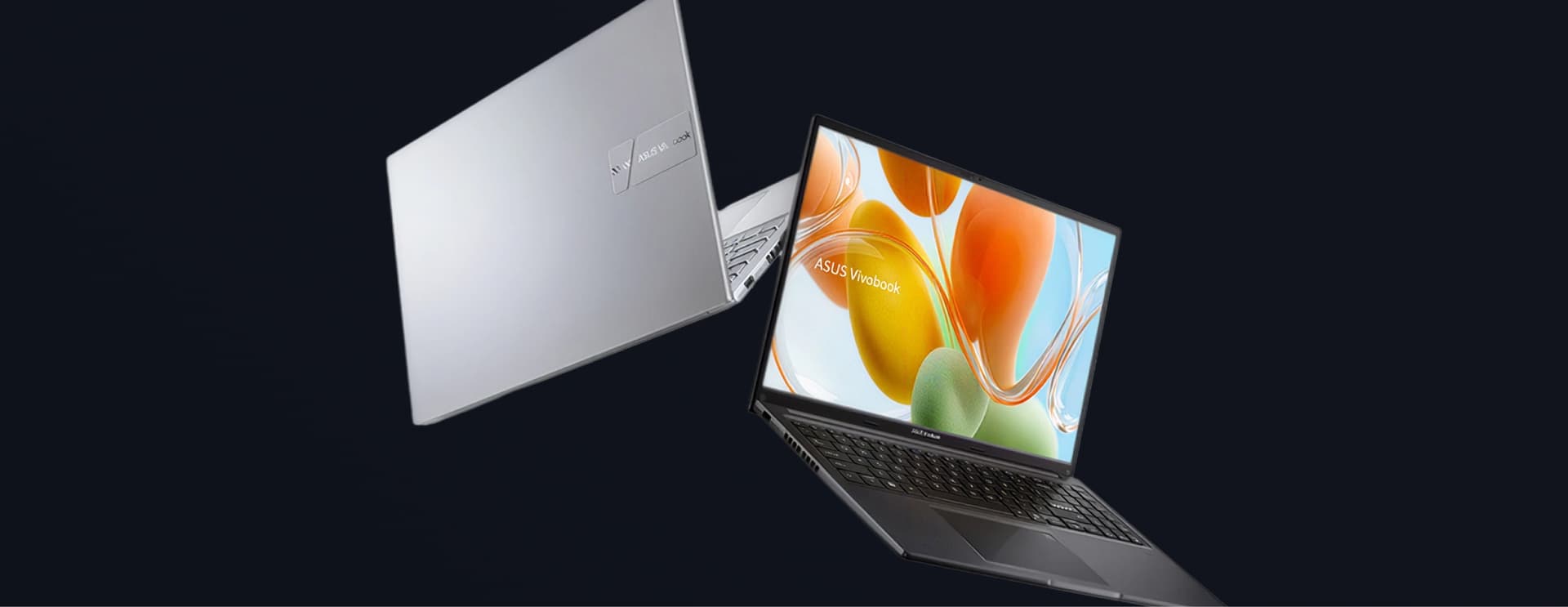
Best Windows Alternative: Asus VivoBook 16 M1605
For teams that need a full Windows experience without the workstation price tag, the VivoBook 16 M1605 is a solid middle ground. Its 16" display gives users more room to work across documents and spreadsheets, the AMD Ryzen 7 processor handles everyday multitasking with room to spare and the price stays friendly for larger deployments. It's the laptop for the employee who needs more than a Chromebook can offer but doesn't need workstation-grade power.
Choosing the Right Corporate Laptop Isn't Just About the Device
Here's the part most "best laptops" lists skip: picking the right model is only step one. The harder problem is getting the right corporate laptops to the right people, in the right countries, configured the right way, on time. A remote team spread across multiple continents doesn't need one great laptop. It needs a process for sourcing, deploying, supporting and eventually retiring hundreds or thousands of them, without IT losing visibility along the way.
That's where most companies feel the pain. Procurement teams end up juggling different vendors per region, IT support struggles to standardize configurations across device types and nobody has a clean answer for what happens to a laptop once an employee leaves.

Need to Find the Best Assets for Your Global Team?
That's what we do.
Tecspal sources, deploys and manages IT assets for teams anywhere, across more than 160 countries and for 800-plus companies. Whether you need ultraportables for a sales team, workstations for your design department or a budget-friendly fleet for a growing call center, we handle the full lifecycle: procurement, onboarding, support, storage, offboarding and buyback or recycling. Companies working with us see IT costs drop by an average of 45% and devices delivered in about 3.5 days on average, backed by a 4.7 rating on Trustpilot.
If your team is growing across borders and your laptop strategy hasn't kept up, let's talk.
FAQ: Corporate Laptops and IT Asset Management
A corporate laptop is any device a company issues to an employee for work rather than a personal purchase. It's typically standardized across a role or team, preloaded with company software and security tools and tracked as a company asset from the day it ships to the day it's retired.
Start with the role, not the specs sheet. A sales rep who travels needs battery life and portability, a designer needs display quality and processing power and a call center hire mostly needs reliability at a low cost. Once you know the use case, narrow down by battery life, repairability, security features and how easily the model fits into your existing IT support process.
IT asset management is the process of tracking, supporting and eventually retiring the hardware a company owns, from laptops and monitors to phones and peripherals. Done well, it covers the full lifecycle: procurement, onboarding, support, storage, offboarding and buyback or recycling.
Because managing devices across multiple countries gets complicated fast. Different vendors, different import rules, different support expectations and no single view of what's deployed where. Outsourcing gives IT one process and one point of contact instead of a patchwork of regional fixes.
It should be collected, wiped, checked for damage and either redeployed to a new hire, stored or sent back through a buyback or recycling program. Without a clear process, laptops end up sitting in a drawer or, worse, leaving the company with sensitive data still on them.
Tecspal sources, deploys and manages IT assets for companies with distributed teams. That includes buying the right devices, shipping and configuring them, providing ongoing support, storing spares and handling offboarding and buyback when a laptop's life with a company ends.
On average, about 3.5 days from order to delivery, even across borders.
Yes. Tecspal supports teams in more than 160 countries and works with 800-plus companies, which makes it a fit for any business hiring or scaling internationally.
Explore our
topics
Apple's new MacBook Pro M6 is here. See which remote roles benefit most and how to plan device rollouts across countries before you buy.
1 min read

Learn what IT asset analytics is, which metrics to track, and how to use device data to cut costs, reduce security risk, and plan refresh cycles.
1 min read

Doubling your global team? Learn how to scale IT with standard kits, automated onboarding, local logistics and secure offboarding across 160+ countries.
1 min read



contact@tecspal.com
+1 305-450-4911
111 Pine St #1650, San Francisco, CA
Subscribe to our weekly newsletter to receive the latest news and updates.